The best Figma alternatives
Figma is a good tool, and if you or a designer already work in it, a free community template is a sound way to make screenshots. Below is who should stay, and what each alternative does better.
Stay with Figma if you already design in Figma, want a look no template gives you, share files with a team, or need screenshots for Android, Mac or Apple Watch too.
What each alternative does better
- StoreStudioEvery size and language exported in one goFree, or $79/yr
- AppMockUpA quick set at no costFree
- AppLaunchpadBoth stores' sizes from one designFree, or $96/yr
- AppScreensTranslation and upload to both storesFree, or $99/yr
- Previewed3D renders and video previewsFree, or $9.99 once
StoreStudio
In Figma, you size, frame and export each language by hand. StoreStudio Pro (the full editor) exports every size and language in one ZIP, organised by language and size, for $79 a year. The set below uses the Starter pack, which is part of the free plan.
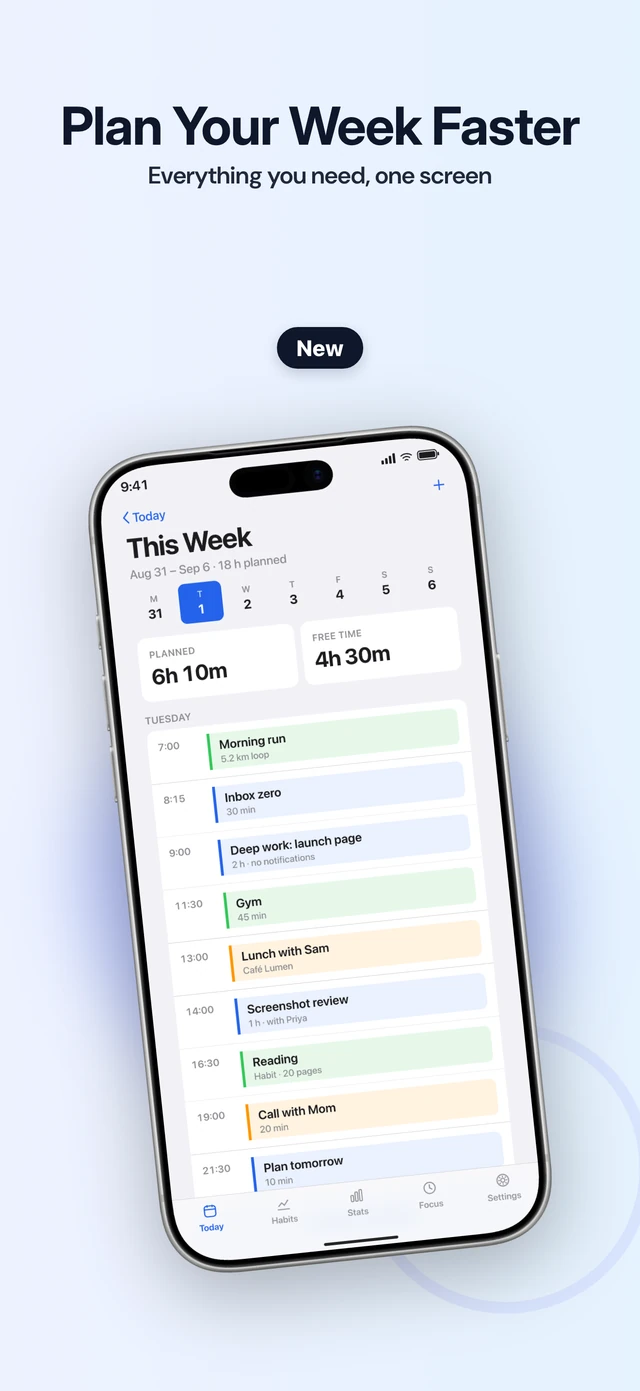
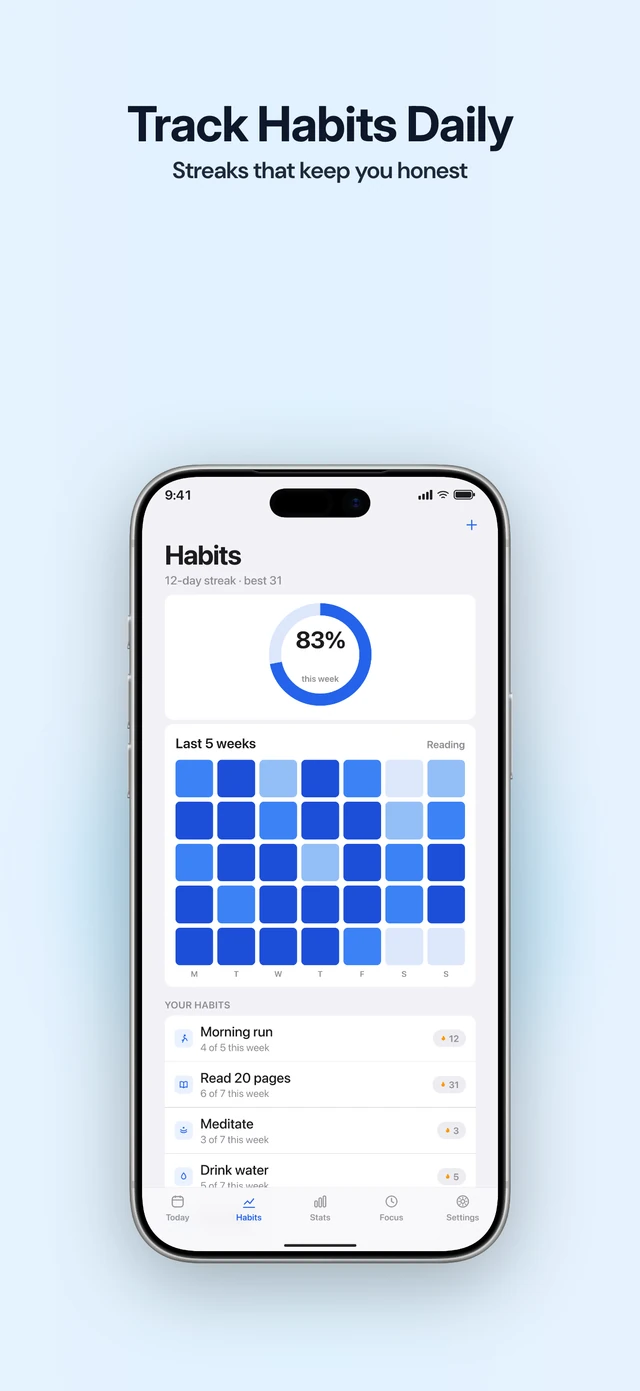
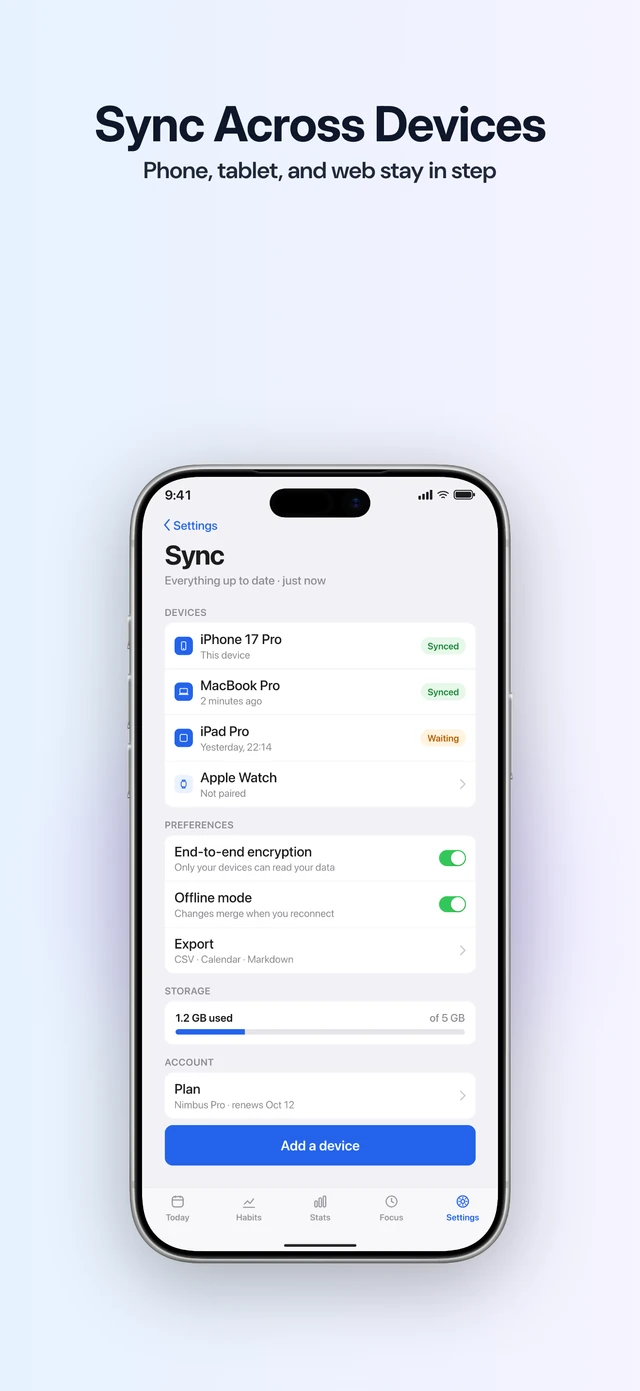
It also checks for things that are easy to miss in a design file: a slide at the wrong export size, a headline that runs long in another language, and a font that can’t display Japanese. The trade-off is control. You work from template packs, in portrait, and StoreStudio makes App Store screenshots, not Google Play. A designer who wants a custom look will find Figma freer.
AppMockUp
AppMockUp is free, needs no account, and makes App Store and Google Play screenshots from ready templates. It’s quicker than building a set in Figma, with far less control over the result.
AppLaunchpad
AppLaunchpad resizes one design to every iOS and Android size, a job you do by hand in Figma. Pro is $96 a year and adds more than 1,000 templates and AI translation.
AppScreens
AppScreens writes captions with AI, localizes into 80+ locales on Pro, and uploads a finished set to App Store Connect and Google Play. Pro is $99 a year. Paid plans add sizes for Mac, Apple Watch and Vision Pro.
Previewed
Previewed makes 3D device renders and animated MP4 promo videos. Plus is $9.99 once for 10 exports with 3D and video. The free plan exports at 720p, below App Store size.
Common questions
- Is Figma free for App Store screenshots?
- Yes. Figma's Starter plan is free, and so are many community templates for App Store screenshots.
- Do I need Figma to make App Store screenshots?
- No. A template-based tool makes a complete set without design work. Figma is worth it when you want a look no template gives you.
- Which Figma alternative handles many languages?
- AppScreens localizes captions into 80+ locales on Pro and Scale. StoreStudio Pro (the full editor) exports 18 languages that you write or import, and checks that each caption fits.
Read next
Try StoreStudio free. No account and no watermark.
Open the editorSources for prices and features
AppMockUpapp-mockup.comread
AppLaunchpad pricingtheapplaunchpad.comread
AppScreens pricingappscreens.comread
Previewed planspreviewed.appread