The best free App Store screenshot generator
A free plan is useful when it exports screenshots you can upload: full size, without a watermark. Compare five options, then follow the five-slide plan below to make a set for your own app.
Will five slides in one language be enough?
Yes. Use StoreStudio. The free plan exports five full-resolution slides with no watermark and no account, and checks each one before export.
No. Use AppMockUp. It's free, lists no slide limit, and makes Google Play screenshots too.
The five free options worth considering
- AppMockUpCompletely free, for both storesFree
- StoreStudioFive clean slides, with checks before exportFree, or $79/yr
- FigmaFree templates, if you can do the workFree
- AppLaunchpadA free trial of a large template libraryFree, or $96/yr
- AppScreensA free look at AI captions and store uploadFree, or $99/yr
Make your first five-slide set
Start with five real screens from your app. This is a storyboard example, not an Apple rule. For a task app, the set could look like this:
- Outcome: “Know what matters today” over the daily task list. Put the main benefit and the main screen first.
- First action: “Add a task in one tap” over the add-task screen. Show the action a new user will take.
- Useful detail: “See your week at a glance” over the calendar view. Pick a feature visible in the app today.
- Difference: “Bring work and personal lists together” over the actual list switcher. Only promise what the screen proves.
- Next step: “Stay on track with reminders” over the reminder settings or notification screen, if the app really offers it. Otherwise, use another real feature.
Replace the example claims and captures with your app’s own. Keep a consistent frame and readable captions; review the result at phone size. Apple lets you reorder screenshots in App Store Connect, so put the most useful message first. If five slides cannot explain the app, choose a tool that allows more instead of squeezing features into tiny text.
Use the free five-slide screenshot planner to write your own benefit and real app screen for each slide. You can copy the plan, then open its first headline in a free Starter project. Your other notes stay in the planner tab.
Open the free five-slide Starter project → Replace its sample screens and captions with your own. Free exports one full-resolution iPhone size without a watermark or account; check the required sizes for your app before uploading.
AppMockUp
AppMockUp is free and doesn’t ask for an account. It has templates, device frames, panoramic backgrounds and a store preview, and it makes Google Play sizes as well as App Store ones. For one good set in one language, it’s the best free choice. Its site doesn’t mention translated captions or checks before export.
StoreStudio
The free plan covers one project with five slides in one language, exported at the size you designed. There’s no watermark, no account and no time limit. The set below uses the Starter pack, which is part of the free plan.
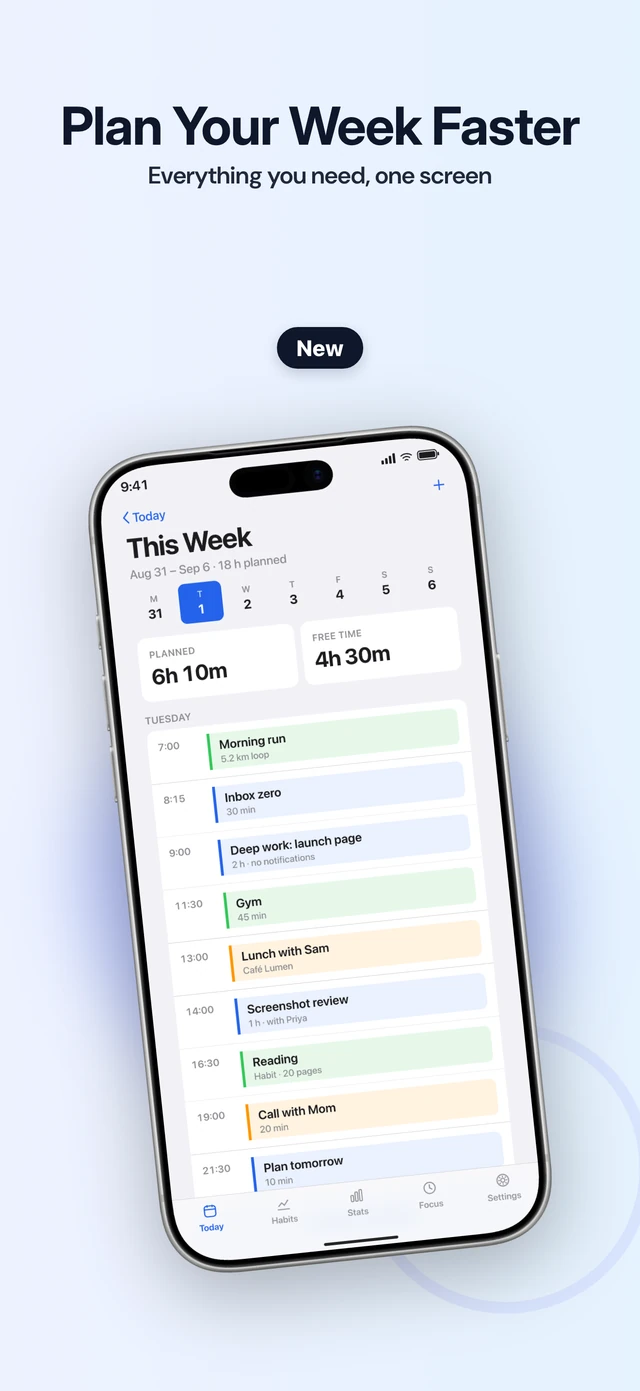
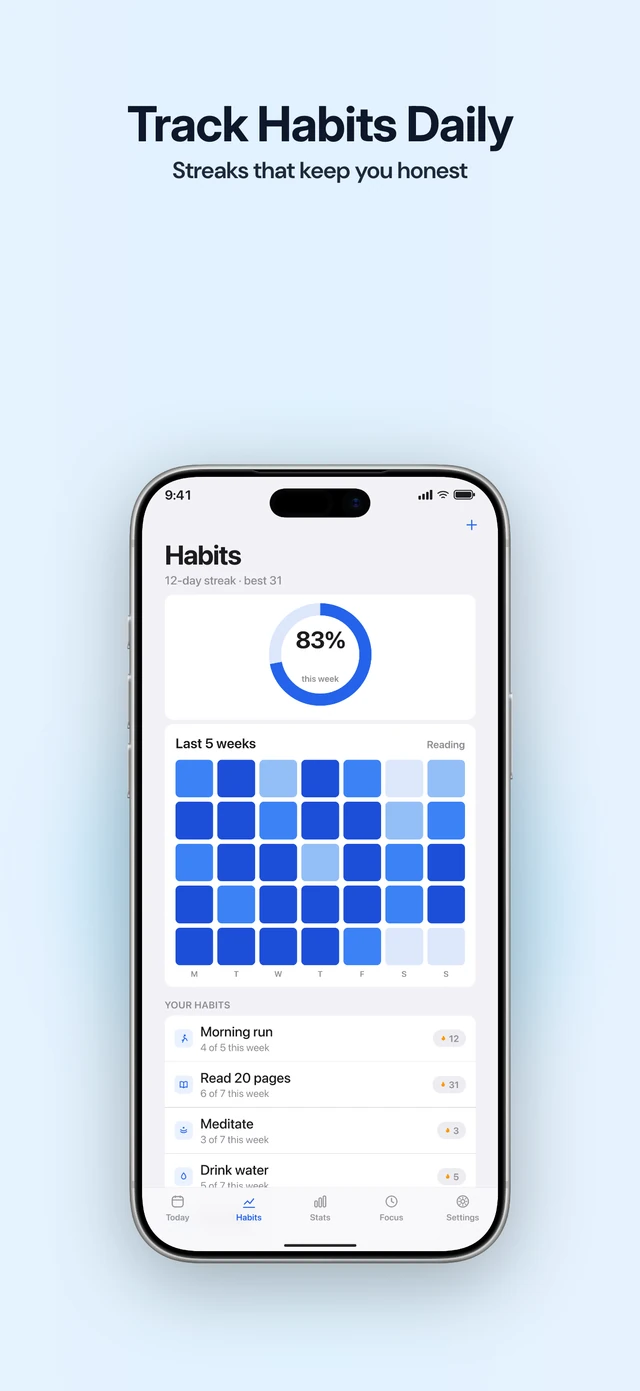
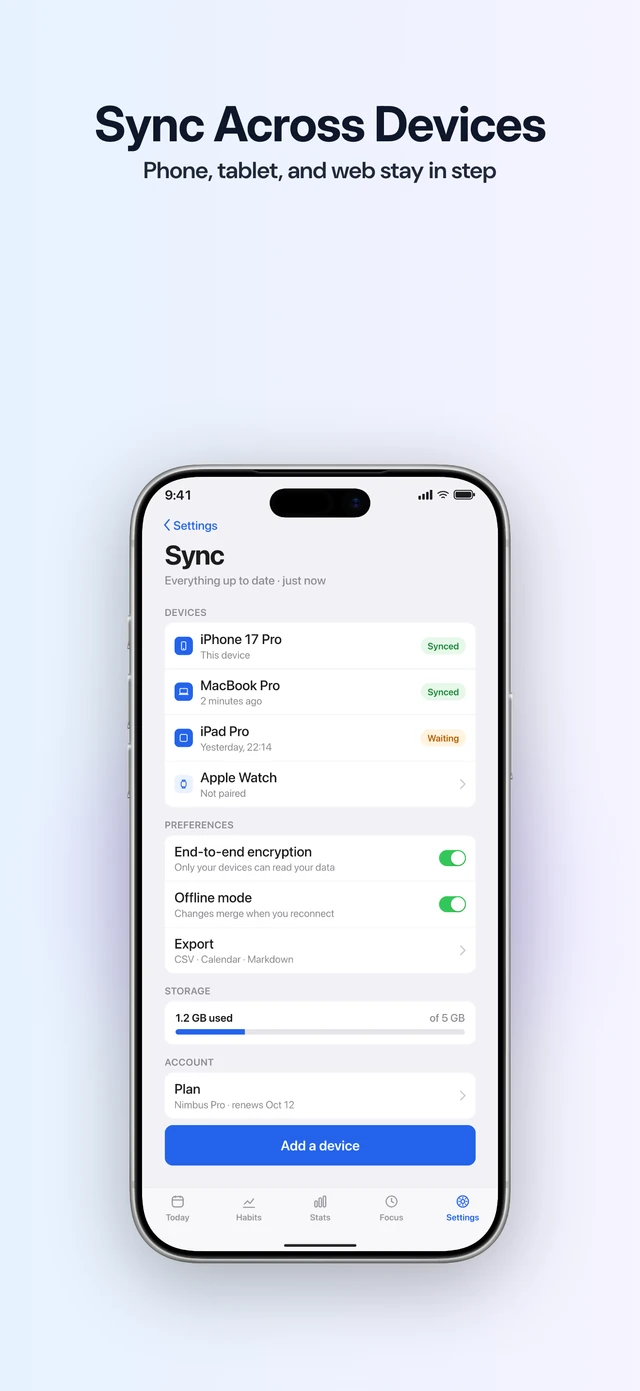
Before you export, it checks each slide for a missing screenshot, text that’s too small or too low in contrast, the wrong export size and the wrong device frame. You can also run Listing once on your own app, to see where it ranks for a search.
The limit is real. Apple allows up to ten screenshots for each device size, and the free plan stops at five. StoreStudio makes App Store screenshots, not Google Play, and it doesn’t write or translate captions.
Figma
Figma’s free Starter plan and the many free App Store templates in its community cost nothing and have no slide limit. Expo’s own documentation points to one. The cost is time: you size, frame and export every slide and every language yourself.
AppLaunchpad
AppLaunchpad’s free plan includes 10 templates and resizes a design for every iOS and Android size. Exports are limited, so it works best as a trial before Pro, which costs $96 a year.
AppScreens
AppScreens Free gives you one project with five screens, initial AI caption suggestions and exports in essential iOS and Android sizes. You can finish a basic set without paying. Previews of Pro-only features carry watermarks; Pro costs $99 a year and adds every store size, 80+ locales and direct uploads.
What to do today
- Capture five real screens and write one short benefit for each using the storyboard above.
- Make the set in a free tool that supports your app’s device size. Use the free screenshot validator to check the exported files’ dimensions and alpha channel.
- Review the order and captions at phone size, then upload to the correct device and language wells in App Store Connect. Pay only if you need more slides, languages or export sizes.
Common questions
- How many screenshots does the App Store need?
- One to ten per device size and language. Apple names the medium Dynamic Island iPhone display as required and documents scaling between classes when the interface is consistent. Apps that run on iPad need a 13-inch set. Check the wells in App Store Connect.
- Is Previewed's free plan enough for the App Store?
- No. Previewed Lite exports at 720p, which is smaller than the App Store accepts, and it requires attribution to Previewed. It suits a quick mockup, not a store set.
- When is it worth paying?
- When you need more than five slides, a second language, or both iPhone and iPad sets. StoreStudio Pro (the full editor) covers all three for $79 a year.
Read next
Try StoreStudio free. No account and no watermark.
Open the editorSources for prices and features
AppMockUpapp-mockup.comread
Figma pricingfigma.comread
AppLaunchpad pricingtheapplaunchpad.comread
AppScreens pricingappscreens.comread